A tour of LookWAYup
If you're not going to install it on your browser you can skip this page.
How to Install it
Installing it on your browser is free and separate from registering for the
Full version. If you want to do both, it is easiest to install the free version first,
then register it. We call it "installing" but no software goes onto your
machine. It's actually just putting smart little shortcuts to compact
pages on the LookWAYup web site. That gives you security plus the latest
versions.
Install the free version.
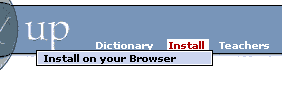 To put it on your browser, select "Install" in the menu on the LookWAYup web
site. There are lots of different browsers out there, and they have
different capabilities. The Install page will determine what type of
browser you have and pop up a page that shows how to set it up on your browser.
If your browser is Netscape or Opera or Firefox or Palm, that company's browser extension
web site also has a convenient way to install a browser-specific version of
LookWAYup.
To put it on your browser, select "Install" in the menu on the LookWAYup web
site. There are lots of different browsers out there, and they have
different capabilities. The Install page will determine what type of
browser you have and pop up a page that shows how to set it up on your browser.
If your browser is Netscape or Opera or Firefox or Palm, that company's browser extension
web site also has a convenient way to install a browser-specific version of
LookWAYup.
You may have a popup blocker on your web browser. Smart move. You
might have to temporarily disable it to install. This popup is not advertising, it's to
help you install or uninstall LookWAYup.
Depending on the browser you are using, there might be more than one type of
installation to choose from.
If you're using Microsoft Internet Explorer on Windows you have two
choices: you can install it as a "bookmarklet" (a button on your Links bar) or
you can put it into the right-click menu and the regular toolbar. The
right-click menu option is better. In either case, you'll probably have to
"unlock" the toolbars while you're installing.
If you're using Firefox you have several choices: you can install it as a bookmarklet,
or as a sidebar panel link, or as an extension, or as an addition to the
search panel. In Opera you have the options of a Hotlist Panel or
a HotClick menu item or a bookmarklet.
If you run a web site, you can also put LookWAYup on any page, and
it can be used right on the page without installation. Check the
Webmasters page on the LookWAYup web site for details.
<< Previous << >> Next:
How to upgrade it >>